How to Play GTA 6 on Android
Guides by device
On this page
- Can You Play GTA 6 on Android?
- Play GTA 6 on Android With CouchVolt
- Is There a GTA 6 APK?
- Every Way to Play GTA 6 on Android
- Why Play GTA 6 on Android With CouchVolt
- How to Play GTA 6 on Android With CouchVolt
- Stream GTA 6 From a PS5 You Already Own
- Stream GTA 6 From an Xbox You Already Own
- What Does Not Put GTA 6 on Android
- Phone Specs You Do Not Need to Buy Yet
- What Internet Speed Do You Need on Android?
- Is CouchVolt Free to Use?
- Is Cloud Gaming the Best Way to Play on Android?
- Frequently Asked Questions
GTA 6 (Grand Theft Auto VI) launches on November 19, 2026 on PS5 and Xbox Series X|S, and there is no Android version and no official APK. An Android phone or tablet can still show the real console game two ways: Remote Play from a PS5 or Xbox already in the house, or CouchVolt in Chrome if there is no console to leave powered on. You still need a digital copy on the matching account, a controller, and a stable connection, and you should plug the phone in. This page is the Android child of Cloud Gaming GTA 6 - How to Play from Any Device.
Can You Play GTA 6 on Android?
Yes, you can play GTA 6 on Android through cloud gaming, but not as an app you install. This search is really an APK, and that demand is the trap the fake pages are selling. The real game is a stream of a console build.
Play GTA 6 on Android With CouchVolt
November 19 is the console launch. An Android phone has no native version that day, and an APK page is not selling the game.
Open Chrome, pick the closest PS5 Pro, PS5, or Xbox Series X, connect a controller, plug the phone in, and use the account that owns the game. Play GTA 6 on Android With CouchVolt, or go back to Cloud Gaming GTA 6 - How to Play from Any Device.
PS5 and Xbox Series X|S only. The phone does not get a store page, a beta, or a lite edition.
Show a stream and send button presses. It does not run the game, and it does not download the 212 GB build.
Same answer for both. A bigger screen is more comfortable, and it does not create a native version. If you are on Apple, go to How to Play GTA 6 on iPhone or iPad.
The phone is a screen and a controller, the console renders the frame, and the battery will drain while it does that.
What launches on November 19
No, there is no GTA 6 APK. Not on Google Play, not as a beta, not as early access. This is the section Android searchers came for, so the honest answer goes first.
What an Android phone can do on day one
PS5 and Xbox Series X|S. There is no Android date, no Google Play listing for the game, and no APK on Rockstar's site.
Phones and Android tablets
Malwarebytes documented fake Rockstar sites and "early access" files in August 2026 that installed info-stealers aimed at browser passwords, cookies, and logged-in sessions. ESET found the same pattern in fake PC builds in November 2026. A page that asks you to allow unknown sources, complete a verification offer, or type a Rockstar, Google, PlayStation, or Xbox password is not the game. Do not allow sideloading for this.
Is There a GTA 6 APK?
BlueStacks and other Android emulators run Android apps, and there is no GTA 6 Android app for them to run. A later Windows version would still not be an APK. Send the Windows question to the PC page.
What Rockstar has published
Here is every route side by side.
Native Android app or APK
- November 19
- No
- Own console
- —
- Buy the game
- —
- Where it runs
- —
- On Android
- No official build
PS Remote Play
- November 19
- Yes
- Own console
- PS5 or PS5 Pro
- Buy the game
- Yes, PlayStation
- Where it runs
- Your console
- On Android
- Yes, the Play Store app. Android 11 or later on the current listing
Xbox Remote Play
- November 19
- Yes
- Own console
- Xbox Series X|S
- Buy the game
- Yes, Xbox
- Where it runs
- Your console
- On Android
- Yes, Xbox app or Chrome. Android 6.0 or later
Xbox Cloud Gaming
- November 19
- Yes, on Xbox consoles
- Own console
- An Xbox to receive the stream
- Buy the game
- Yes, plus cloud playtime
- Where it runs
- Microsoft, Series S settings
- On Android
- Chrome can open the site. This game is not offered to phones
GeForce NOW
- November 19
- No
- Own console
- —
- Buy the game
- —
- Where it runs
- PC build only
- On Android
- The Android app can open. The game is not in it
CouchVolt
- November 19
- Yes
- Own console
- No
- Buy the game
- Yes, on the account for the console you pick
- Where it runs
- PS5 Pro, PS5, or Xbox Series X in a CouchVolt data center
- On Android
- Yes, in Chrome. No APK
Why the download pages showed up
The phone is a screen you already carry, and it is a bad steering wheel. We all have been there with on-screen buttons: you can't see the road, and the accelerator is wherever your thumb just drifted. A phone can show the game; it just shouldn't be how you play the first hours. With CouchVolt you don't give up on the real experience, because we do not emulate or run a modified copy; we run the real hardware so it feels like you are on a PlayStation or an Xbox. Plug it in, use a real controller, and stay on Wi-Fi.
Emulators do not fill the gap
One of our main objectives is that you get the same experience as playing the real game, so we have acquired the following machines that you can use for a fraction of the cost.
PS5 Pro
- What it offers
- PSSR and ray-traced shadows. Best image of the three for GTA 6.
PS5
- What it offers
- Standard PlayStation version, including DualSense features the phone can pass through.
Xbox Series X
- What it offers
- Microsoft's version, through the player's Xbox account.
Note: these machines also run any other game you own digitally. For GTA 6 we recommend the PS5 Pro, because Rockstar has announced it has the superior image quality.
Warning: an Xbox copy of the game does not run on PS5, and the reverse is also true. CouchVolt supplies the hardware. The account and the game purchase stay with you.
Every Way to Play GTA 6 on Android
Distance matters more than you think in cloud gaming. Let's take for example driving a car in the game: when you press the accelerator, your controller sends a command over the internet to the machine; the console reads it and sends an updated image back. On a phone away from home, Remote Play still has to reach the console in your house, while a CouchVolt session has to reach the data center.
CouchVolt currently operates 12 data centers across Europe, the Americas, Asia, and Oceania, so pick the closest one. The home upload speed is the Remote Play bottleneck. It is not the CouchVolt one.
Why Play GTA 6 on Android With CouchVolt
We all have been there when a short hitch hits right as you are driving or aiming. Bars of signal are not latency, and a 5G connection can still feel late.
Advice: at home, use 5 GHz Wi-Fi close to the router, with the phone on a charger.
Real PS5 Pro, PS5, and Xbox Series X hardware
CouchVolt's stream cap is up to 4K at 120 FPS on the PS5 Pro, PS5, and Xbox Series X. A phone will not use that cap.
Keep in mind: Rockstar's November 10, 2026 note sets the first console rollout at 30 FPS. A phone screen should take a stable lower resolution rather than a 4K stream it cannot hold.
Data Centers, and Why Distance Shows Up in the Car
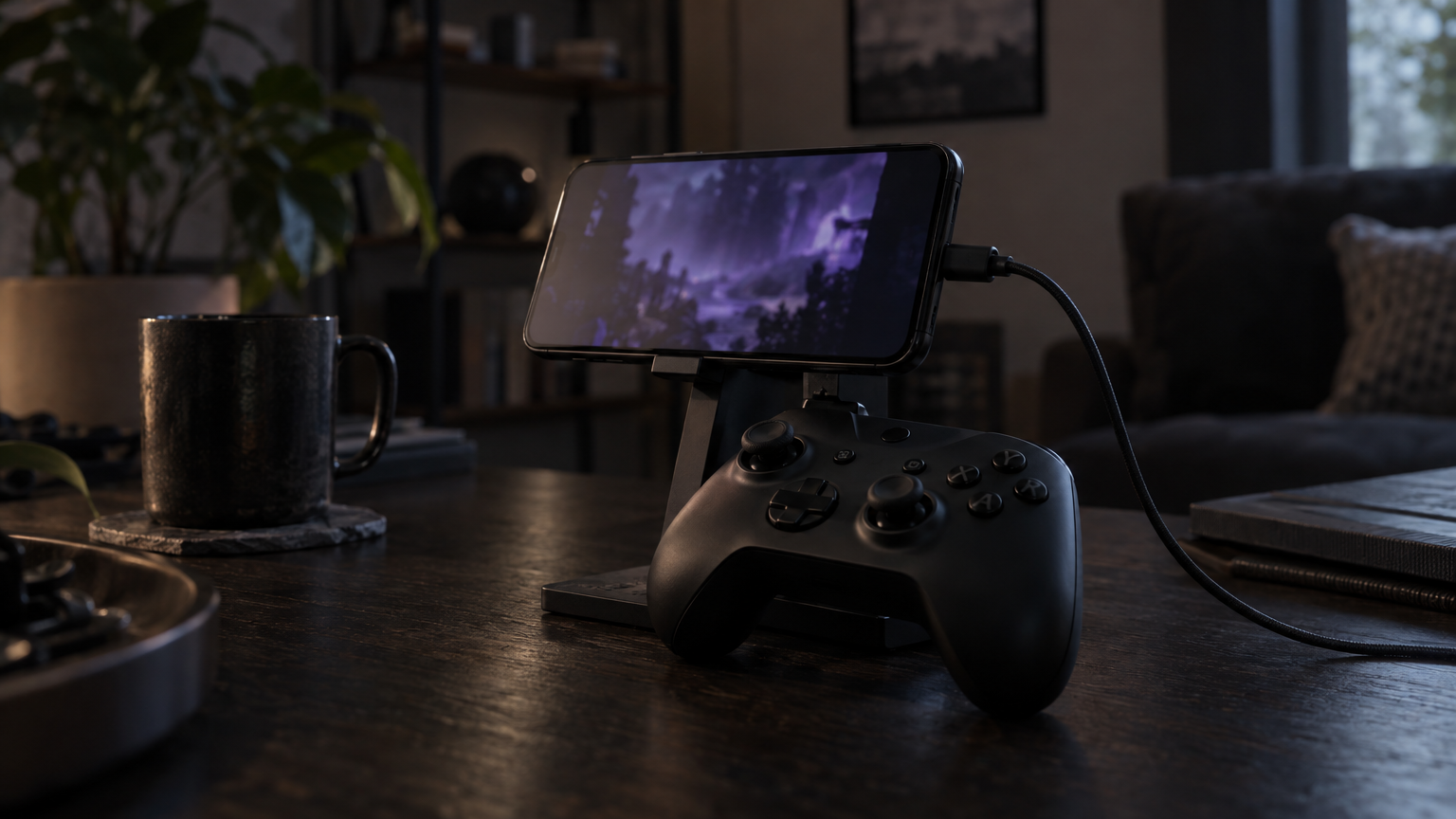
Connect a PlayStation or Xbox controller over Bluetooth or USB-C. A small clip or mount keeps the phone in view. On the PS5 path you get the DualSense features when the phone supports them: haptics, adaptive triggers, speaker, and vibration. On-screen buttons hide the road, so use them only to get past a menu.
Latency Matters More Than the Speed Test
CouchVolt was designed so you do everything from Chrome. No APK, no unknown sources, no emulator. Just follow the steps below.
Stream Quality, and the 30 FPS Limit
Create an account with us first. It is free and takes a few seconds, no credit card to register. Do this in the browser, not inside a downloaded installer.
A Controller on the Phone
From your dashboard, activate the plan that opens the machines.
How to Play GTA 6 on Android With CouchVolt
Select the PS5 Pro for GTA 6 unless you already own the Xbox version. The closest site matters more on a phone than on a desktop.
Create your account with CouchVolt
Connect the controller over Bluetooth or USB-C, matched to the console. Allow the browser to see the controller if Android asks. Put the phone on a charger before the session, not after the battery warning.
Activate your plan
Sign in with your PlayStation or Xbox account. The game has to be in that library, and the sign-in is the console account on the CouchVolt session, not a password typed into a "GTA APK" page.
Select the console and the closest location
This is the path the BlueStacks article actually recommends. Use Sony's mobile steps, and remember the Play Store listing is the install requirement.
Connect the controller
PS Remote Play from Google Play. The current listing is Android 11 or later, with DualShock 4 on that install, DualSense on Android 12 or later, and DualSense Edge on Android 14 or later. Backbone One PlayStation Edition is the clip Sony names for Android phones. 5 Mbps up and down, 15 Mbps for the better stream. Pixel 8, 9, and 10 are the verified phones on the listing, other phones can work, and Sony says unverified devices may not.
Sign in with your gaming account
On the PS5: Settings, then System, then Remote Play. In rest mode, stay connected and allow wake from the network. Pre-load the game on the PS5 first.
Stream GTA 6 From a PS5 You Already Own
Open the app, sign in with the same PSN account, and choose the PS5. In the Remote Play settings, turn on mobile data only if you mean to use it, and set a lower video quality for cellular. Test with a game already installed before November 19.
What the phone needs
Turn Remote Play on
Android 6.0 or later, the Xbox app or Chrome, a controller if you want one, and about 10 Mbps down on 5 GHz Wi-Fi or mobile data. Xbox's on-screen controls are available, but for GTA 6 pair a pad anyway.
Connect from the phone
On the Xbox: Settings, then Devices & connections, then Remote features. Set power mode to Sleep so the phone can wake the console. Pre-load on the Xbox Series X|S first.
Stream GTA 6 From an Xbox You Already Own
Open the Xbox app, or xbox.com/remoteplay in Chrome, and sign in with the same Microsoft account. Android is one of the devices Microsoft allows away from home, over the internet, from the console. Watch the data cap, and remember the picture still depends on the home connection's upload.
An Xbox One does not run GTA 6 locally, so it cannot Remote Play this game to a phone. Cloud play for an Xbox One stays on that Xbox.
What the phone needs
Lead with the APK, since that is the Android version of the fake-download problem.
Turn remote features on
No official file exists. Unknown sources, a survey, a second app, or a login that asks for a Rockstar, Google, PlayStation, or Xbox password are the warning signs. Install nothing, and check Rockstar's own site if a mobile edition is ever announced.
Connect from the phone
Chrome on Android can open xbox.com/play, but this title is still limited to Xbox One and Xbox Series X|S, at Series S settings. Buying the game and buying cloud hours do not put it on the phone, and it is not included with Game Pass.
What Does Not Put GTA 6 on Android
The Android client streams PC games. GTA 6 has no PC version, and Rockstar's recent games have been off the service since 2019.
APK, beta, and "verification" pages
Nothing on Android runs this game, and nothing emulates a PS5 well enough to run it either.
Xbox Cloud Gaming
There is no GTA 6 Android requirements sheet, so don't buy a new phone for a game it will not install.
GeForce NOW
Rockstar has not published one. The 212 GB figure is the console install.
Emulators
Decode a video stream and send input. Remote Play's published floor is a recent Android version and a stable connection, not a flagship GPU. A newer phone helps the stream stay smooth, and it does not create a native port.
Phone Specs You Do Not Need to Buy Yet
Streaming, full brightness, and Bluetooth will run the battery down and warm the phone. Start on a charger, and drop stream quality if the phone is thermal-throttling.
Why there is no official Android spec
At home, for CouchVolt, we recommend at least 50 Mbps and low latency, on 5 GHz Wi-Fi in the same room as the router. A USB-C Ethernet adapter is a desk option for a tablet, not the setup for a phone in your hand. Do the following if available.
- Prefer Wi-Fi. It holds a long session better than cellular.
- Stop other downloads and cloud backups. They compete for bandwidth and cause stutters.
- Drop resolution if the picture stutters. A lower resolution feels better than a sharp one that hitches.
- Keep the Remote Play console on Ethernet. Even when the phone is on Wi-Fi, the console end should be wired.
Remote Play floors are lower (Sony's 5 Mbps each way, Microsoft's roughly 10 Mbps down), but those are minimums for a picture. Both official apps allow mobile data and both warn that it spends the cap and depends on the carrier, and a weak signal is a reason to stop, not a reason to keep driving. Remote Play from the couch is the better of the two official streams, while CouchVolt's path is the phone to the nearest of the 12 data centers.
What the phone actually does
On Android, "free" usually means a free APK, and there isn't one. Anyone can register for free, but there are real costs after that.
- Account creation is free. No card to register.
- Playing GTA 6 needs a paid plan. The game itself is a separate purchase on PlayStation or Xbox.
- The mobile-data bill is separate. If you ignore the Wi-Fi advice, that is a third cost. Game Pass and PS Plus are not required for CouchVolt and do not include GTA 6 at launch.
Battery, heat, and the charger
It all depends on what you already have. Own the console and you're in the house, use Remote Play. You're away, and the home upload is part of Remote Play but not part of CouchVolt. No console, and CouchVolt is the way, with a pad and a charger. If the only goal is touch controls on the bus, this game is a bad fit for thumbs on glass, on every route.
What Internet Speed Do You Need on Android?
Is CouchVolt Free to Use?
Yes, with CouchVolt in Chrome, as long as the digital copy is on the account for the console you select.
Is Cloud Gaming the Best Way to Play on Android?
Not as an app you install. Yes as a stream, from your own console or from CouchVolt.
Frequently Asked Questions
No. Do not sideload one. Rockstar has not published an Android build, a beta, or an early-access file.
Can I play GTA 6 on Android without buying a console?
Not announced. A later Windows version would not be an APK either.
Can I play GTA 6 on Android on November 19?
Sony and Xbox both draw on-screen buttons. They cover the screen and they are a poor way to drive and shoot. Use a Bluetooth or USB-C controller.
Is there a GTA 6 APK?
Yes, on both official apps, if you turn it on and the carrier can hold it. It uses a lot of data, so Wi-Fi is the better session.
Will GTA 6 come to Android?
No flagship is required to decode a stream. The current PS Remote Play listing asks for Android 11 or later, and Xbox Remote Play asks for Android 6.0 or later. Unverified phones can be flaky in Sony's app.
Can I play with touch controls?
No. 120 FPS is the stream cap. The game targets 30 FPS on consoles for the first rollout, so prefer a stable picture on a phone.
Does Remote Play work on mobile data?
Chrome can open the service, but GTA 6 is not offered to phones at launch. Cloud play for this game is Xbox One and Xbox Series X|S only.
Do I need a powerful phone?
No. It needs a PC version.
Will GTA 6 run at 120 FPS with CouchVolt?
Not for CouchVolt, and not for single-player Remote Play from a console you own. Neither subscription includes GTA 6 at launch.
Can I use Xbox Cloud Gaming on Android?
Yes. Stream, screen, and a Bluetooth pad all pull power. Play on a charger.
Will GeForce NOW have it on Android at launch?
Not really. The game is a paid purchase, CouchVolt playtime is a paid plan, and the phone's data plan is a third cost if you are not on Wi-Fi.